> ## Documentation Index
> Fetch the complete documentation index at: https://v3.captaindata.com/llms.txt
> Use this file to discover all available pages before exploring further.
# Launch a Workflow with Make
> Set up and automate workflows with Captain Data in Make, including tips for integrating CRMs, spreadsheets, and databases.
## Example: Use Make to enrich inbound leads with Captain Data
You can also refer to this Guideflow to learn how to configure the 'Launch a Workflow' module for Captain Data in Make.
While the guide focuses solely on setting up the module, keep in mind that you'll need a data source in place beforehand. This could be your CRM (e.g., HubSpot), a spreadsheet (e.g., Google Sheets), Notion, or any database.
## Available Modules
* Get Job Info
* Launch Workflow
* Make an API Call
* List Application Accounts
* List Job Results
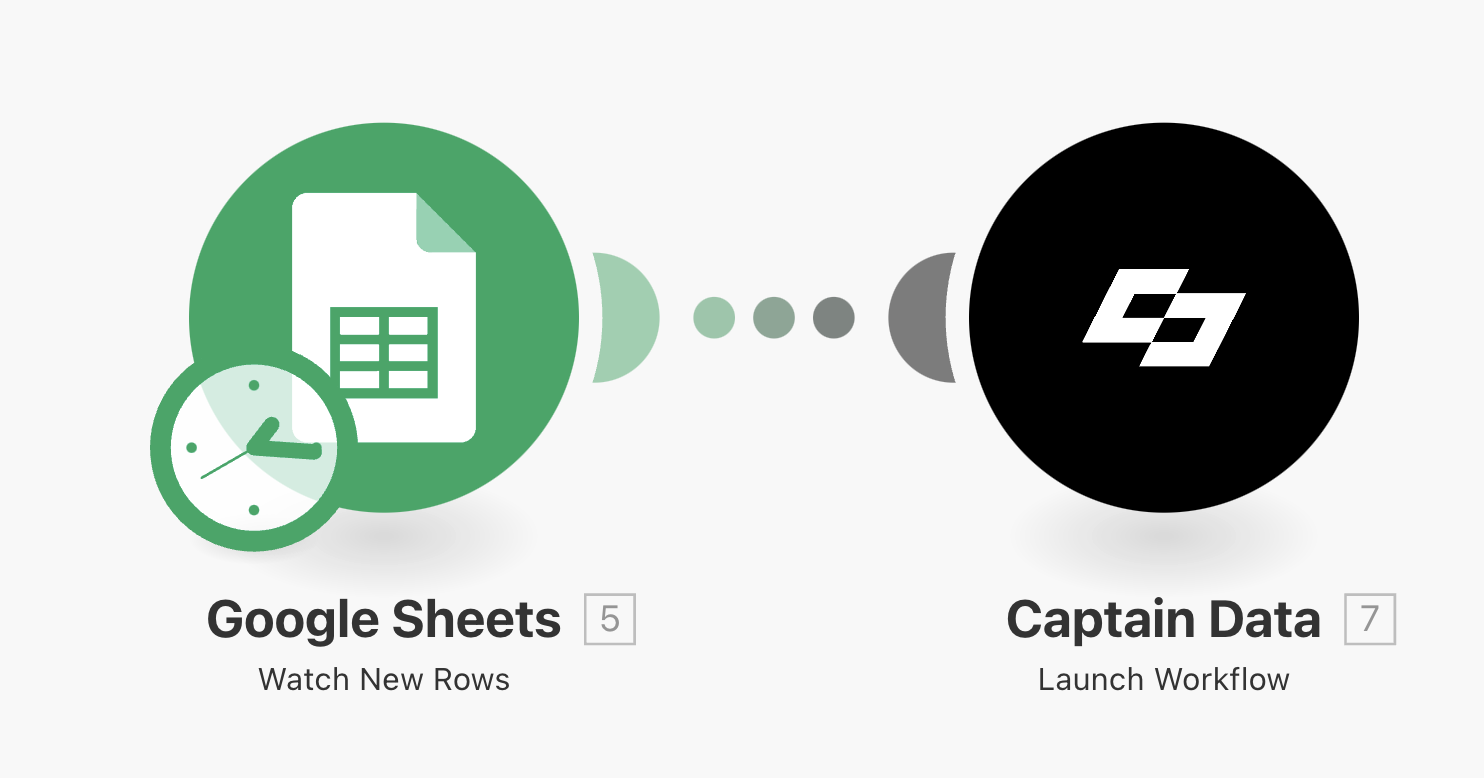
Captain Data doesn’t directly support triggering a workflow when a new row is
added to your spreadsheet. To achieve this, you’ll need to: Use Make’s Google
Sheet Module (Watch New Rows).
 ## Blueprint: Trigger a Captain Data Workflow from Slack
Launch a workflow from Slack by sending, for example, a LinkedIn company URL
and job titles, triggering the "Find Leads from Company Profile with Sales
Navigator" workflow to fetch and return leads.
Follow this process:
1. **Watch for Messages**: Select a **Slack channel** (public or private).
2. **Extract Info**: Split the message into **LinkedIn URL** & **Job Titles**.
3. **Send to Captain Data**: Auto-fill workflow inputs.
4. **Set Filters & Run**: Ensure a **LinkedIn URL**, select accounts, and choose **on-demand or scheduled runs**.
5. **Test It!** Click **"Run Once"** & send a Slack message.
Use this JSON blueprint:
```json
{
"name": "Source contacts from Company URL",
"flow": [
{
"id": 7,
"module": "slack:WatchGroupMessages",
"version": 4,
"parameters": {
"limit": 1,
"channel": "",
"__IMTCONN__": null,
"inputMethod": ""
},
"mapper": {},
"metadata": {
"designer": {
"x": 0,
"y": 0,
"messages": [
{
"category": "setup",
"severity": "error",
"message": "Value must not be empty."
}
]
},
"restore": {
"parameters": {
"channel": {
"label": "test"
},
"__IMTCONN__": {
"data": {
"scoped": "true",
"connection": "slack2"
},
"label": ""
},
"inputMethod": {
"label": "Select from a list"
}
}
},
"parameters": [
{
"name": "__IMTCONN__",
"type": "account:slack2",
"label": "Connection",
"required": true
},
{
"name": "inputMethod",
"type": "select",
"label": "Input Method",
"required": true,
"validate": {
"enum": ["list", "search"]
}
},
{
"name": "limit",
"type": "uinteger",
"label": "Limit",
"required": true
},
{
"name": "channel",
"type": "select",
"label": "Private Channel",
"required": true
}
]
}
},
{
"id": 23,
"module": "util:SetVariables",
"version": 1,
"parameters": {},
"mapper": {
"scope": "roundtrip",
"variables": [
{
"name": "li_url",
"value": "{{get(split(7.text; \"-\"); 1)}}"
},
{
"name": "persona",
"value": "{{get(split(7.text; \"-\"); 2)}}"
}
]
},
"metadata": {
"designer": {
"x": 415,
"y": -1
},
"restore": {
"expect": {
"scope": {
"label": "One cycle"
},
"variables": {
"items": [null, null]
}
}
},
"expect": [
{
"name": "variables",
"spec": [
{
"name": "name",
"type": "text",
"label": "Variable name",
"required": true
},
{
"name": "value",
"type": "any",
"label": "Variable value"
}
],
"type": "array",
"label": "Variables"
},
{
"name": "scope",
"type": "select",
"label": "Variable lifetime",
"required": true,
"validate": {
"enum": ["roundtrip", "execution"]
}
}
],
"interface": [
{
"name": "li_url",
"type": "any",
"label": "li_url"
},
{
"name": "persona",
"type": "any",
"label": "persona"
}
]
}
},
{
"id": 11,
"module": "captain-data:launchWorkflow",
"version": 1,
"parameters": {
"__IMTCONN__": null
},
"filter": {
"name": "Contact sourcing",
"conditions": [
[
{
"a": "{{7.text}}",
"b": "linkedin.com/company",
"o": "text:contain:ci"
}
]
]
},
"mapper": {
"jobName": "{{23.persona}} - {{23.li_url}}",
"workflowUid": "select your workflow"
},
"metadata": {
"designer": {
"x": 900,
"y": 0,
"messages": [
{
"category": "setup",
"severity": "error",
"message": "Value must not be empty."
}
]
},
"restore": {
"parameters": {
"__IMTCONN__": {
"label": "",
"data": {
"scoped": "true",
"connection": ""
}
}
},
"expect": {
"workflowUid": {
"mode": "edit",
"nested": []
}
}
},
"parameters": [
{
"name": "__IMTCONN__",
"type": "",
"label": "",
"required": true
}
],
"expect": [
{
"name": "jobName",
"type": "text",
"label": "Job Name",
"required": true
},
{
"name": "workflowUid",
"type": "select",
"label": "Workflow to launch",
"required": true
}
]
}
}
],
"metadata": {
"instant": false,
"version": 1,
"scenario": {
"roundtrips": 1,
"maxErrors": 3,
"autoCommit": true,
"autoCommitTriggerLast": true,
"sequential": false,
"slots": null,
"confidential": false,
"dataloss": false,
"dlq": false,
"freshVariables": false
},
"designer": {
"orphans": []
},
"zone": "eu2.make.com",
"notes": []
}
}
```
## Blueprint: Trigger a Captain Data Workflow from Slack
Launch a workflow from Slack by sending, for example, a LinkedIn company URL
and job titles, triggering the "Find Leads from Company Profile with Sales
Navigator" workflow to fetch and return leads.
Follow this process:
1. **Watch for Messages**: Select a **Slack channel** (public or private).
2. **Extract Info**: Split the message into **LinkedIn URL** & **Job Titles**.
3. **Send to Captain Data**: Auto-fill workflow inputs.
4. **Set Filters & Run**: Ensure a **LinkedIn URL**, select accounts, and choose **on-demand or scheduled runs**.
5. **Test It!** Click **"Run Once"** & send a Slack message.
Use this JSON blueprint:
```json
{
"name": "Source contacts from Company URL",
"flow": [
{
"id": 7,
"module": "slack:WatchGroupMessages",
"version": 4,
"parameters": {
"limit": 1,
"channel": "",
"__IMTCONN__": null,
"inputMethod": ""
},
"mapper": {},
"metadata": {
"designer": {
"x": 0,
"y": 0,
"messages": [
{
"category": "setup",
"severity": "error",
"message": "Value must not be empty."
}
]
},
"restore": {
"parameters": {
"channel": {
"label": "test"
},
"__IMTCONN__": {
"data": {
"scoped": "true",
"connection": "slack2"
},
"label": ""
},
"inputMethod": {
"label": "Select from a list"
}
}
},
"parameters": [
{
"name": "__IMTCONN__",
"type": "account:slack2",
"label": "Connection",
"required": true
},
{
"name": "inputMethod",
"type": "select",
"label": "Input Method",
"required": true,
"validate": {
"enum": ["list", "search"]
}
},
{
"name": "limit",
"type": "uinteger",
"label": "Limit",
"required": true
},
{
"name": "channel",
"type": "select",
"label": "Private Channel",
"required": true
}
]
}
},
{
"id": 23,
"module": "util:SetVariables",
"version": 1,
"parameters": {},
"mapper": {
"scope": "roundtrip",
"variables": [
{
"name": "li_url",
"value": "{{get(split(7.text; \"-\"); 1)}}"
},
{
"name": "persona",
"value": "{{get(split(7.text; \"-\"); 2)}}"
}
]
},
"metadata": {
"designer": {
"x": 415,
"y": -1
},
"restore": {
"expect": {
"scope": {
"label": "One cycle"
},
"variables": {
"items": [null, null]
}
}
},
"expect": [
{
"name": "variables",
"spec": [
{
"name": "name",
"type": "text",
"label": "Variable name",
"required": true
},
{
"name": "value",
"type": "any",
"label": "Variable value"
}
],
"type": "array",
"label": "Variables"
},
{
"name": "scope",
"type": "select",
"label": "Variable lifetime",
"required": true,
"validate": {
"enum": ["roundtrip", "execution"]
}
}
],
"interface": [
{
"name": "li_url",
"type": "any",
"label": "li_url"
},
{
"name": "persona",
"type": "any",
"label": "persona"
}
]
}
},
{
"id": 11,
"module": "captain-data:launchWorkflow",
"version": 1,
"parameters": {
"__IMTCONN__": null
},
"filter": {
"name": "Contact sourcing",
"conditions": [
[
{
"a": "{{7.text}}",
"b": "linkedin.com/company",
"o": "text:contain:ci"
}
]
]
},
"mapper": {
"jobName": "{{23.persona}} - {{23.li_url}}",
"workflowUid": "select your workflow"
},
"metadata": {
"designer": {
"x": 900,
"y": 0,
"messages": [
{
"category": "setup",
"severity": "error",
"message": "Value must not be empty."
}
]
},
"restore": {
"parameters": {
"__IMTCONN__": {
"label": "",
"data": {
"scoped": "true",
"connection": ""
}
}
},
"expect": {
"workflowUid": {
"mode": "edit",
"nested": []
}
}
},
"parameters": [
{
"name": "__IMTCONN__",
"type": "",
"label": "",
"required": true
}
],
"expect": [
{
"name": "jobName",
"type": "text",
"label": "Job Name",
"required": true
},
{
"name": "workflowUid",
"type": "select",
"label": "Workflow to launch",
"required": true
}
]
}
}
],
"metadata": {
"instant": false,
"version": 1,
"scenario": {
"roundtrips": 1,
"maxErrors": 3,
"autoCommit": true,
"autoCommitTriggerLast": true,
"sequential": false,
"slots": null,
"confidential": false,
"dataloss": false,
"dlq": false,
"freshVariables": false
},
"designer": {
"orphans": []
},
"zone": "eu2.make.com",
"notes": []
}
}
```