

Adding a Webhook
Currently, webhooks cannot be added via the API. To add one manually through the Captain Data app:- Open one of your Runs and navigate to the Webhooks tab.

Navigate to Webhooks
- Click Add Webhook to access a modal with available options.
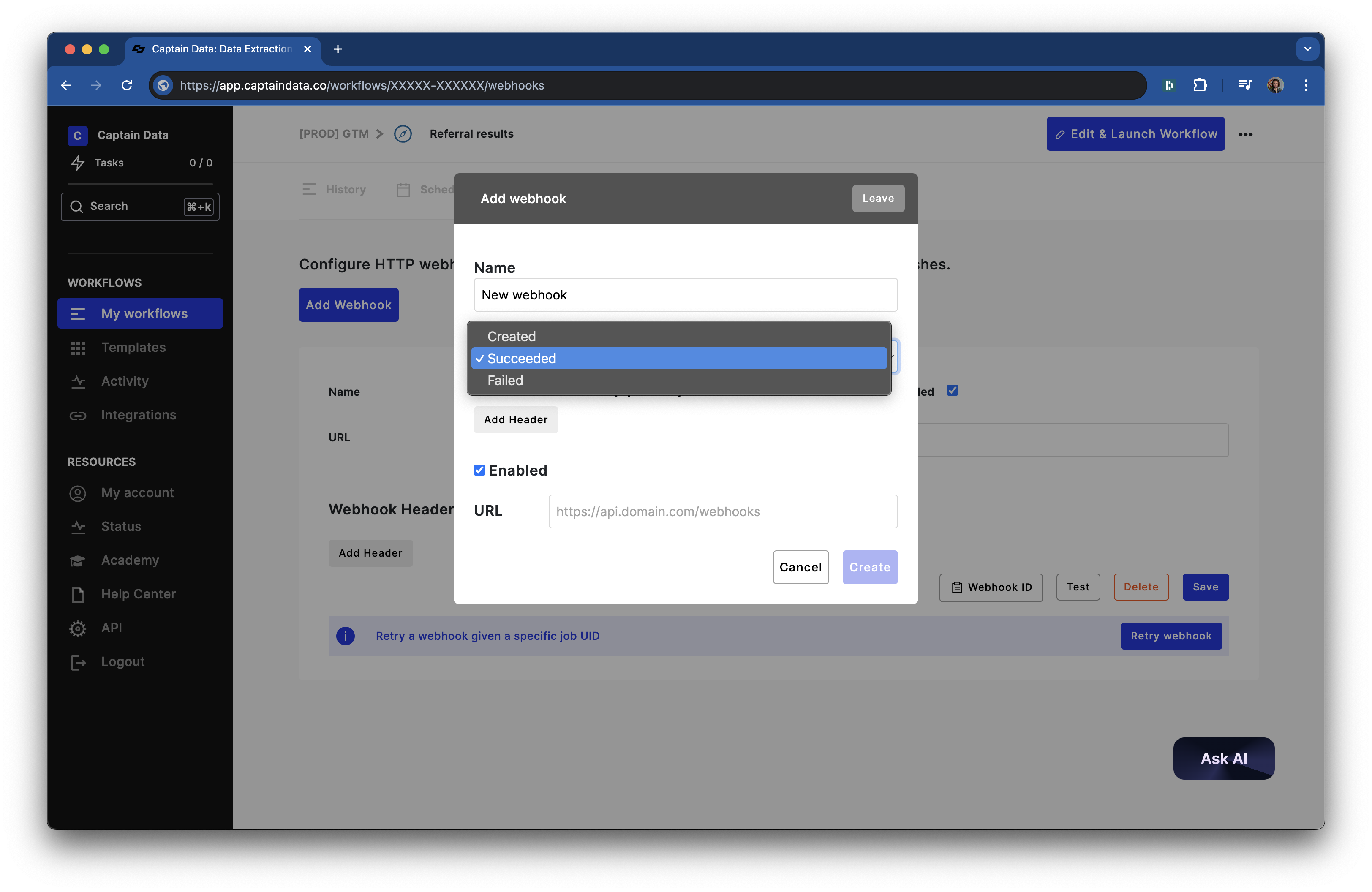
Add Webhook Modal
-
Choose one of three event types:
- Created: Triggered when a job starts and the first task launches.
-
Succeeded: Triggered when a job completes successfully.
-
Failed: Triggered when a job encounters an error.
- Once created, your webhook will be ready to use.

Webhook Created
Headers Configuration
In the webhook modal, you can configure custom headers for secure and formatted integrations:- Header Name: Specify the key (e.g.,
Authorization,Content-Type). - Header Value: Provide the value (e.g.,
Bearer token,application/json).
Webhook Payload
When triggered, a webhook sends aPOST request with the following JSON payload:
Handling Job Results: Success vs. Failed Inputs
- Failed Status: Triggered if all inputs fail.
- Succeeded Status: Triggered if at least one input succeeds, even if others fail.
- API Reference: Get a Run’s Inputs
- Endpoint:
https://api.captaindata.co/v3/jobs/{job_uid}/inputs
Common Reasons for Failed Inputs
- 404 Errors: The profile or resource is inaccessible.
- Incorrect Inputs: Invalid or improperly formatted inputs.
- Authentication Issues: For example, an invalid LinkedIn session cookie.
Retrying Failed Inputs
Retries depend on the failure reason:- Do Not Retry: Issues like 404 errors or incorrect inputs.
- Retry Possible: Temporary issues such as API timeouts or invalid session cookies.
- Refresh and resume paused jobs.
- Update your cookie or resolve the issue and retry. Retry a Run Guide
Retrying a Webhook
You can retry webhooks for:- Testing: Re-trigger to validate the integration.
- Missed Webhooks: Reattempt delivery if the webhook wasn’t triggered.
Using the API
To retry a webhook, use the Retry Webhook endpoint:{job_uid} with the relevant job UID. For detailed instructions, refer to the Retry Webhook Documentation.
Retrying in the UI
To retry through the Captain Data app:- Open the specific job by its UID.
- Navigate to the Webhooks tab.
- Click Retry and paste the job UID to reattempt delivery.
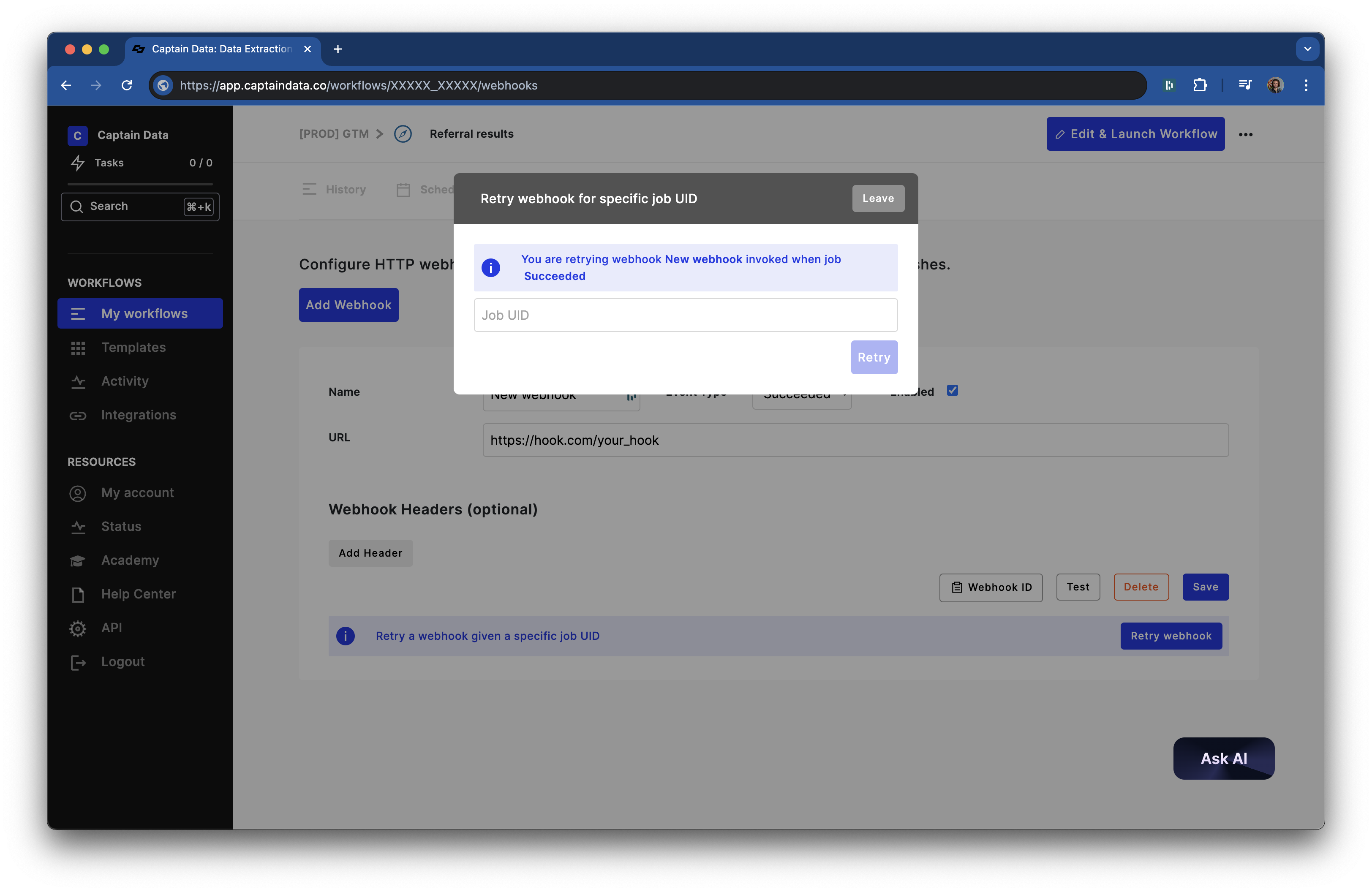
Retry Webhook